
Published:
February 26, 2026Website Enhancements That Boost Profitability for Indian Business Owners
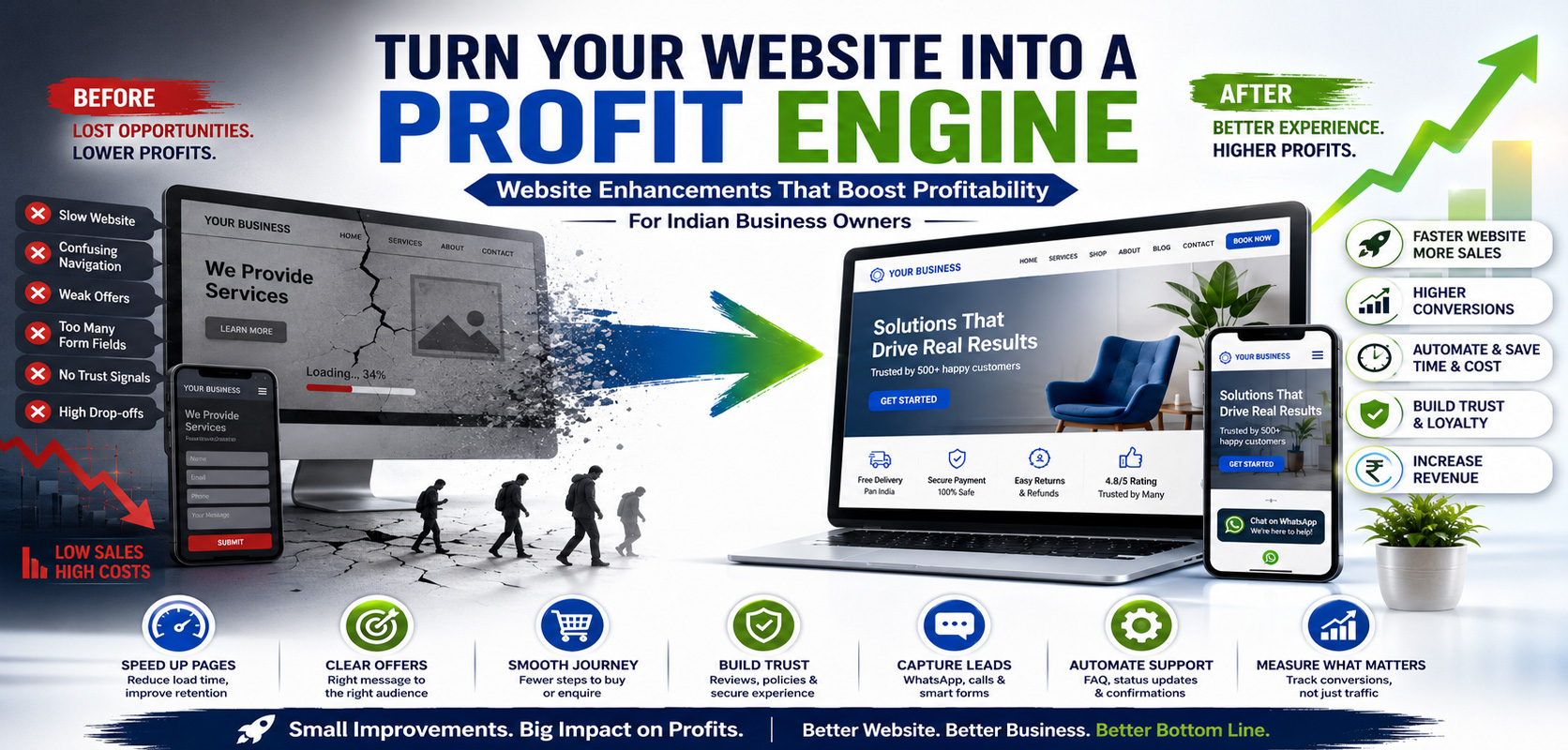
Indian business owners: your website isn’t just a “digital visiting card.” Done right, it quietly improves margins—by reducing drop-offs, raising average order value, and saving staff time that usually gets burned on calls, follow-ups, and manual updates. If you’re spending on ads, social posts, or marketplace listings, your website should act like the “cash counter” that turns that attention into enquiries and orders—without you personally chasing every lead. Even a few small improvements (a clearer offer, faster pages, and better trust signals) can lift conversions enough to feel like you increased revenue without increasing traffic.
What to do first (so profits move faster)
- Speed up the buying path: fewer clicks, fewer doubts, fewer form fields.
- Make trust obvious: clear pricing cues, policies, and proof near the “Buy/Enquire” button.
- Remove repetitive work: automate confirmations, FAQs, and updates so your team stops answering the same questions all day.
- Measure two numbers weekly: leads/orders per 100 visitors, and conversion rate from “product page → enquiry/checkout.”
Profit levers you can tune on one page
Below is a simple “where to focus” view that most owners find easier than long audits.
| Website enhancement | Why it boosts profitability | Best for |
| Faster load + lighter pages | More visitors stay long enough to buy/enquire | Mobile-first audiences |
| Clear offer + pricing signals | Fewer “just checking” enquiries, better quality leads | Service businesses, B2B |
| Strong product/service pages | Higher conversion and fewer objections | D2C, clinics, agencies |
| WhatsApp/call + smart forms | Captures intent before it cools down | Local services, high-ticket |
| Better checkout / enquiry flow | Less abandonment | E-commerce, appointment booking |
| Trust blocks (reviews, policies, badges) | Reduces hesitation and refund disputes | Newer brands |
| Self-serve support (FAQ + status updates) | Cuts support workload | Any business with repeat queries |
Skill up so the website doesn’t “own” you
Many owners eventually realise the expensive part isn’t building a site—it’s staying in control of it. Going back to school can be a practical move if you want the confidence to manage updates, vendors, and risks without guesswork. The benefits of online IT programs include learning in a flexible format that fits around a running business. Earning an information technology degree can also build your skills in IT, cybersecurity, and computer science, which is useful when your website handles payments, customer data, and logins. And because an online degree is designed for remote study, it’s easier to keep learning while you continue running day-to-day operations.
When your promotion needs a cleaner engine
If your site is already decent but enquiries are inconsistent, marketing execution may be the real bottleneck—especially across search, social, and local discovery. In that case, it can help to work with a specialist team to upgrade your marketing strategies using a structured digital marketing service that aligns your campaigns with the pages that actually convert.
A practical how-to you can run this week
Think of this as a “profit sprint,” not a redesign.
- Pick one money page: your best-selling product page, top service page, or landing page that gets the most traffic.
- Rewrite the top section for clarity: one line on what you do, one on who it’s for, one on the outcome, and one strong button (Buy / Book / Get Quote).
- Add a “trust strip” under the button: delivery timeline or service area, refund/cancellation rule, and a real support channel.
- Cut friction from forms: keep only essentials (name, mobile, need). Everything else can be asked later.
- Install one tiny proof element: 3 short reviews, 2 client logos, or a before/after photo—whatever you can genuinely stand behind.
- Set a weekly check-in: look at conversions, not just traffic. If traffic is flat but conversion rises, profits still improve.
Small upgrades that often beat big rebuilds
- Move your phone/WhatsApp contact above the fold on mobile.
- Show service area / delivery coverage early, not hidden.
- Put pricing ranges (even “Starts at…”) where people hesitate.
- Offer two payment paths: fast checkout and “talk to us” for high-consideration buyers.
- Add basic policy pages (returns, cancellation, privacy) and link them near the decision point.
FAQ
What’s the single best website change for profitability?
Make the primary action obvious on mobile (Buy/Book/Get Quote), then add trust right under it (timeline, policy, support channel). It reduces hesitation instantly.
Should I focus on traffic or conversion first?
Conversion first. Traffic is expensive; conversion improvements compound on every visitor you already have.
Do I need fancy tools to track results?
No. Start with whatever analytics you already have, and track just a few outcomes: enquiries, orders, booking completions, and which page they came from.
How do I reduce support calls without sounding “cold”?
Create a short “Help” section on key pages: delivery timelines, coverage, rescheduling rules, warranty/returns, and one clear escalation path for genuine issues.
A resource worth bookmarking (speed = money)
One free tool that’s surprisingly useful is PageSpeed Insights. It gives you a quick view of how fast your pages load on mobile and desktop, plus clear suggestions that you can forward to your developer without a long meeting. Use it on your homepage and your top “money page,” then compare results after each change so you don’t accidentally slow the site down while “improving” it.
Conclusion
Profit-focused website work is mostly unglamorous: clearer pages, fewer steps, and better trust at the moment of decision. Start with one high-traffic page, fix friction, and measure conversions weekly. Once the basics are stable, you can scale marketing with confidence because the site is ready to turn attention into revenue.
