
Published:
April 27, 2026Small Business Website Tips to Turn Challenges into Growth
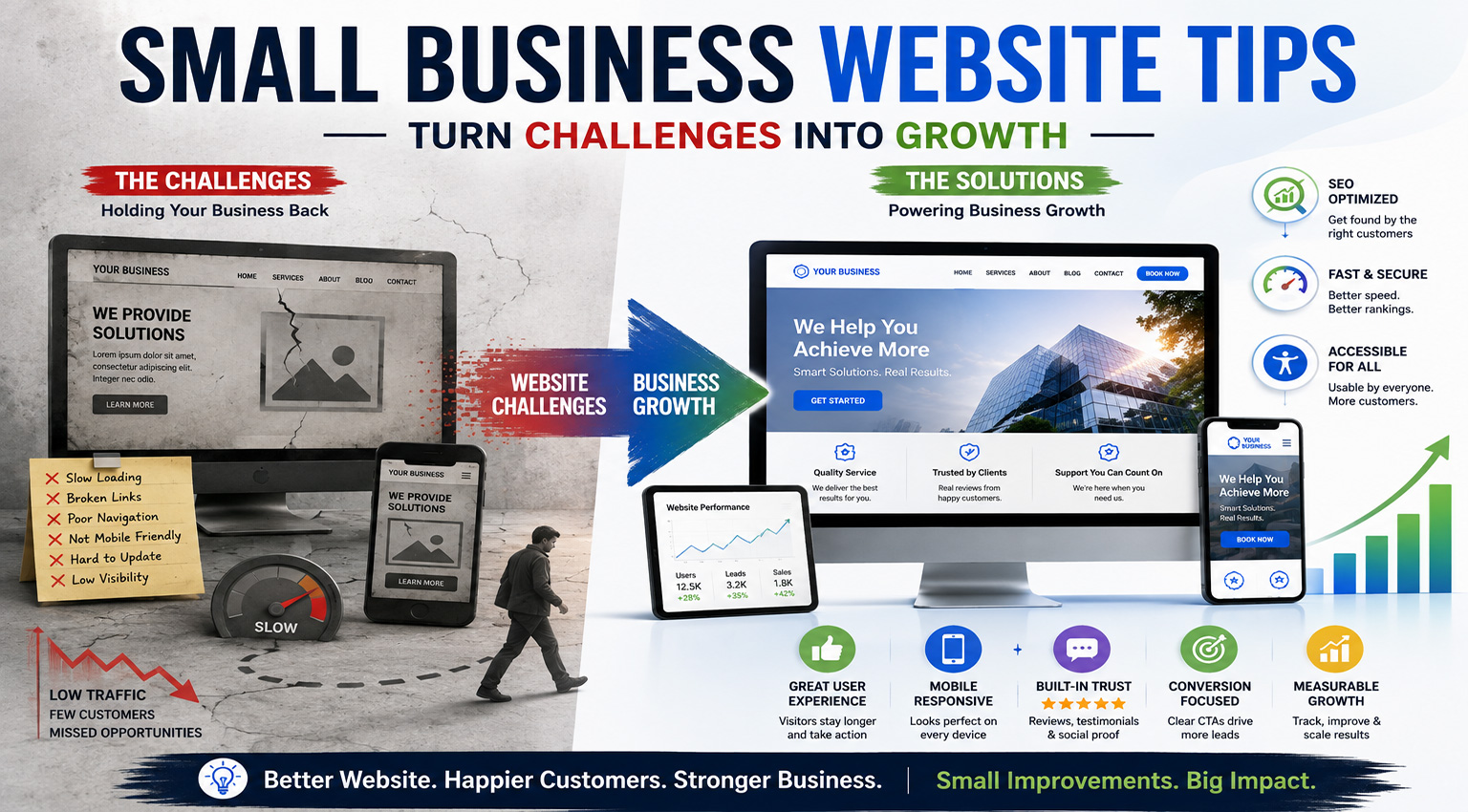
Small business owners, especially local teams wearing five hats, often hit the same wall: the website is “live,” but it still feels unfinished, hard to update, and invisible to the right customers. Website creation challenges pile up fast, from beginner website builders that look fine in a preview but break trust in the real world to digital presence obstacles like inconsistent branding, confusing navigation, and hosting surprises. When a site becomes another chore, online business growth can feel like a moving target. A few focused shifts can turn that frustration into clarity and momentum.
Understanding the Website Baseline That Drives Growth
A strong small business site starts with a baseline you can measure and improve. That baseline combines search engine optimization so you can be found, user experience so visitors can act fast, and accessibility so more people can use your site. Mobile responsiveness and clear navigation make each update work better across every page.
This matters because visibility without usability wastes ad spend, and usability without visibility stays hidden. Accessibility also protects revenue, since 71% of customers with disabilities leave immediately when a site is hard to use.
Picture a busy service business: a customer taps your link on a phone, but the menu is tiny and the “Book Now” button is buried. Fixing layout, labels, and pathways turns the same traffic into calls and bookings.
Choose a Skill-Building Path That Makes Web Fixes Easier
Earning a degree can be a powerful way to strengthen your web skills and build real confidence with programming fundamentals, coding logic, and technical problem-solving so website fixes get easier over time. By earning a computer science degree, you can build a deeper understanding of coding, site architecture, cybersecurity, and AI. If you’re exploring computer science degree program options, an online degree can also make it easier to balance running your business while you learn. With a stronger foundation in place, you’ll be ready to spot and apply the underused website upgrades customers actually notice.
Steal These 9 Underused Website Upgrades Customers Notice
Small website improvements can create outsized wins when they’re built around how customers actually browse, decide, and buy. Use this punch list to pick a few upgrades you can implement quickly now, and get better over time as your skills grow.
- Cut your forms in half (and make them phone-friendly): Keep only what you truly need to fulfill the request, name, email/phone, and one open text field is often enough. Break longer requests into two steps (Step 1: contact info, Step 2: details) so mobile users don’t feel trapped in a “form marathon.” Add input hints like “(optional)” and use the right keyboard types for phone/email to reduce typos.
- Make one consistent “design system” page and stick to it: Create a simple reference doc with your brand colors, two fonts, button styles (primary/secondary), and a standard layout for headings and spacing. Then update key pages to match it, home, services, about, and contact first. This is customer-focused website design in practice: people trust what feels familiar and easy to scan, and 94% of first impressions are shaped by design.
- Add a “sticky” contact option that doesn’t get in the way: On mobile, keep one persistent action available, Call, Get Quote, Book, or Directions, without covering content. Limit it to one button and one secondary link, and hide it when a user starts filling out a form. This helps customers act the moment they’re ready instead of hunting for your contact page.
- Install site search, then tune it using real queries: If you have more than ~10 pages, search becomes a quiet conversion booster, especially for service menus, policies, and product catalogs. Put the search box in the header or menu and make results helpful: show page titles, short descriptions, and “no results” suggestions like “Try ‘pricing’ or ‘hours.’” Review the top searches monthly; they’re free insight into what customers expect to find.
- Speed up your top 5 pages with a simple checklist: Start with the pages that get the most visits (home, your main service page, pricing, contact, and one blog/article). Compress oversized images, remove unnecessary sliders, and limit heavy scripts that load on every page. Even a one-second delay in page load time can reduce conversions, so speed work is revenue work.
- Treat mobile as the default, not the “extra”: Design for the small screen first, then expand for desktop. Make tap targets comfortable (buttons and links with breathing room), keep paragraphs short, and move critical info above the first scroll: what you do, who it’s for, and how to start. This matters because global website traffic now leans heavily mobile.
- Create “micro-commitments” that match customer intent: Not every visitor is ready to buy today, so offer lighter options: “Check availability,” “See starting prices,” or “Get a 3-question estimate.” Place these right after your main value statement on service pages. If you’re building your skills systematically, like learning basic logic, testing, and debugging, these small funnels are great practice because you can change one element at a time and measure what improves.
- Add proof where the decision happens (not just on your homepage): Put one testimonial, one before/after, or three quick bullet outcomes directly on each service page near the call-to-action. Keep it specific: “Scheduled within 48 hours” beats “Great service.” Customers decide page by page, so your credibility should show up page by page.
- Set up a monthly “customer walk-through” and fix one thing: Once a month, use your phone to act like a first-time visitor: find pricing, find hours, submit a form, and locate policies. Write down the first friction point you hit and fix just that, one broken link, one confusing headline, one slow image. This steady habit pairs perfectly with beginner-friendly learning paths and sets you up to make smarter decisions about SEO basics, analytics tracking, accessibility, and ongoing upkeep.
Website Growth Questions Business Owners Ask
Q: How do I start SEO if I’m not technical?
A: Start with the basics you can control: one clear service per page, a descriptive page title, and headings that match what customers search. Add a short FAQ or “What to expect” section on each service page to capture long-tail searches. Then request your business profile listings and keep name, address, and phone consistent everywhere.
Q: What web analytics tools should I install first?
A: Begin with Google Analytics 4 for traffic and conversions, and Google Search Console for search queries and indexing issues. Set up one or two key events like form submissions or calls, then review results monthly. Simple trend tracking beats complicated dashboards.
Q: How should I approach website accessibility compliance without getting overwhelmed?
A: Use the web accessibility definition as your guide: make content usable for people with visual, motor, and cognitive needs. Prioritize high-impact fixes like good color contrast, labeled form fields, keyboard navigation, and alt text on important images. You will be ahead of most sites once you tackle the basics.
Q: Why does accessibility matter if I’m a small business?
A: It protects sales you might not realize you are losing, especially on mobile and forms. The fact that 95.9% of websites fail basic website accessibility standards means small improvements can quickly differentiate your brand. Accessibility also tends to improve clarity, speed, and SEO.
Q: What’s the simplest website maintenance routine that actually helps growth?
A: Pick one day each month to update a key page, check for broken links, and refresh pricing, hours, and contact details. Back up your site, update plugins or themes, and run a quick speed check on your top pages. If you’re still in the early stages of getting a website for small business off the ground, Rajkar Global Consultancy can help you skip the trial-and-error phase and build on a stronger foundation from the start. Keep a short change log so you can connect updates to results.
Turn Website Friction Into Steady Small Business Online Growth
When website tasks pile up, it’s easy to feel stuck between daily operations and a site that isn’t pulling its weight. The way forward is a simple, consistent approach: implement digital strategies in small steps, measure what matters, and keep improving the basics that build trust. That mindset turns website optimization benefits into clearer messaging, smoother experiences, and stronger building customer engagement over time. Small changes shipped consistently beat big plans that never launch. Choose your next two improvements today, schedule them, and ship them confidently. That steady website improvement motivation creates resilience and predictable growth even when everything else feels busy.
